Scan your cards.
One photo of a binder page, or up to nine loose cards.
Finish your sets.
Every set in number order, with a blank for each card you still need.
For Pokémon card collectors, on iPhone.
Take one photo of a binder page. Foilbook finds each card and its price, then shows you which cards each set still needs.
01Scanning
Three ways to scan.
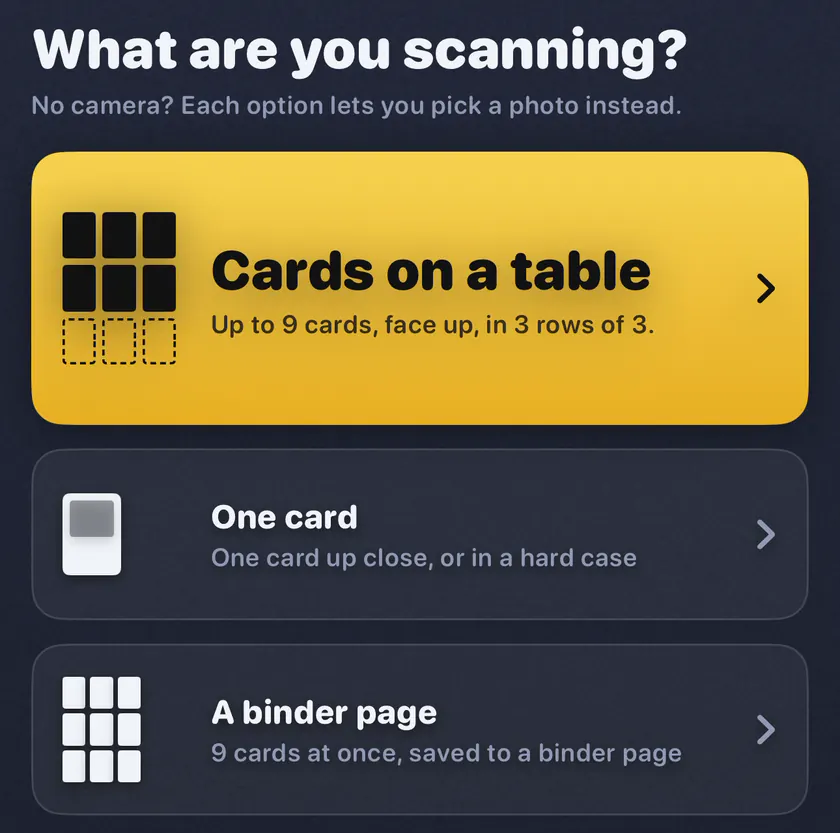
Lay up to nine cards on a table, hold up one card, or point at a binder page. Foilbook takes the photo by itself and finds each card.
It tells you when to hold still or move closer, and when light is bouncing off your cards. No camera handy? Pick a photo instead.
02The Check tag
It asks instead of guessing.
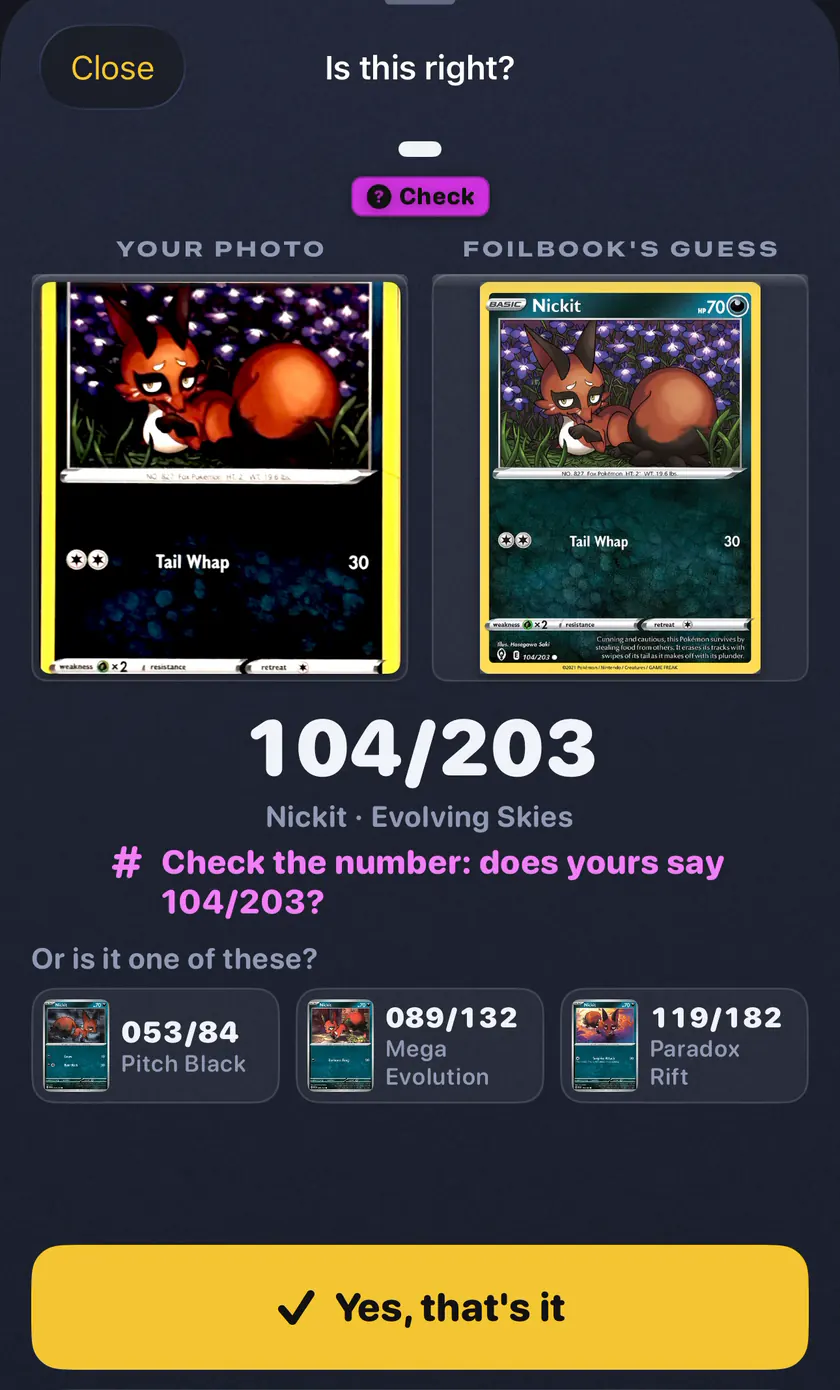
Foilbook goes by the number printed on each card, not just the picture. When it is not sure, it shows a Check tag and asks you. Pick the right card, or type the number from the bottom corner.
Tap Save page and it keeps only the cards that are sure, or that you checked.
03Set checklists
See what every set still needs.
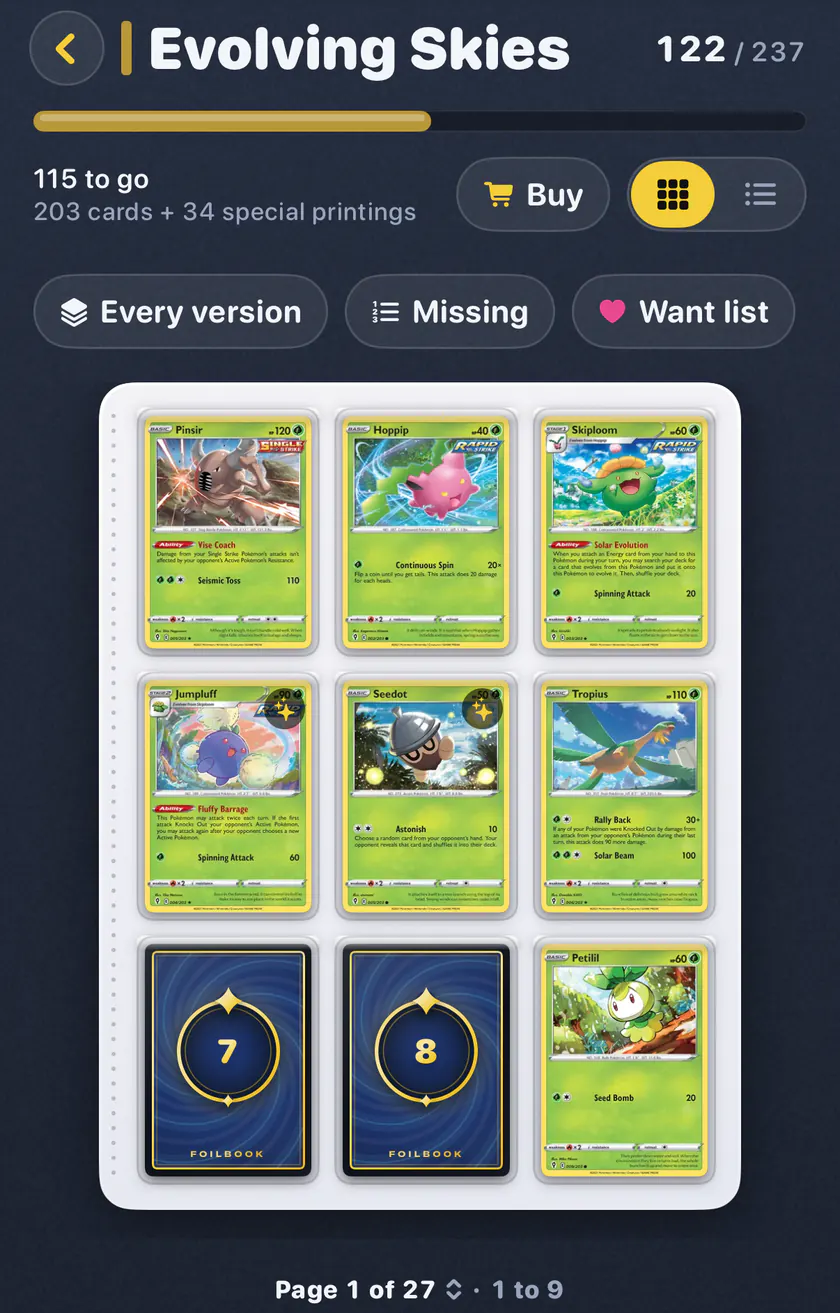
Each set is laid out in number order, like a binder. The cards you are missing lie face down with their numbers on them. Tap one to turn it over and see it.
Sort your sets by closest to done. You can also open any English Pokémon set, even one you have no cards from yet.
04Prices
Know what your cards are worth.
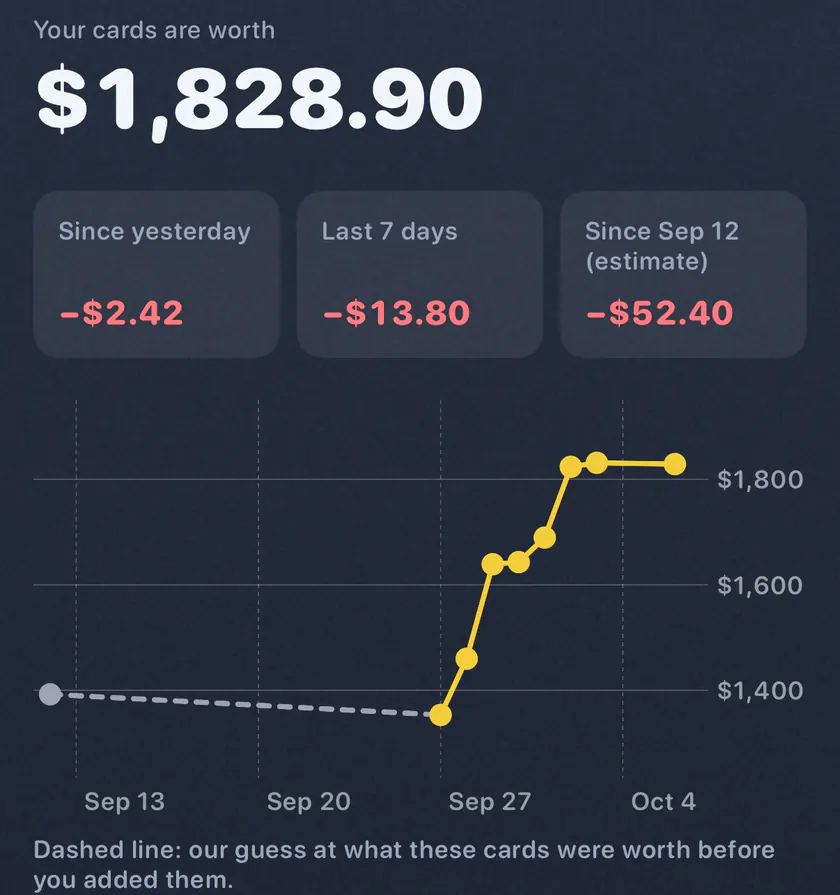
Every card gets a price in US dollars, with where it came from and the date. Prices update once a day. Home shows your total, the change since yesterday, and a chart of your collection's value by day.
Special printings are checked against a second price source, Cardmarket. Shiny finishes and condition change the price too.
05Misprints
Known misprints, flagged.
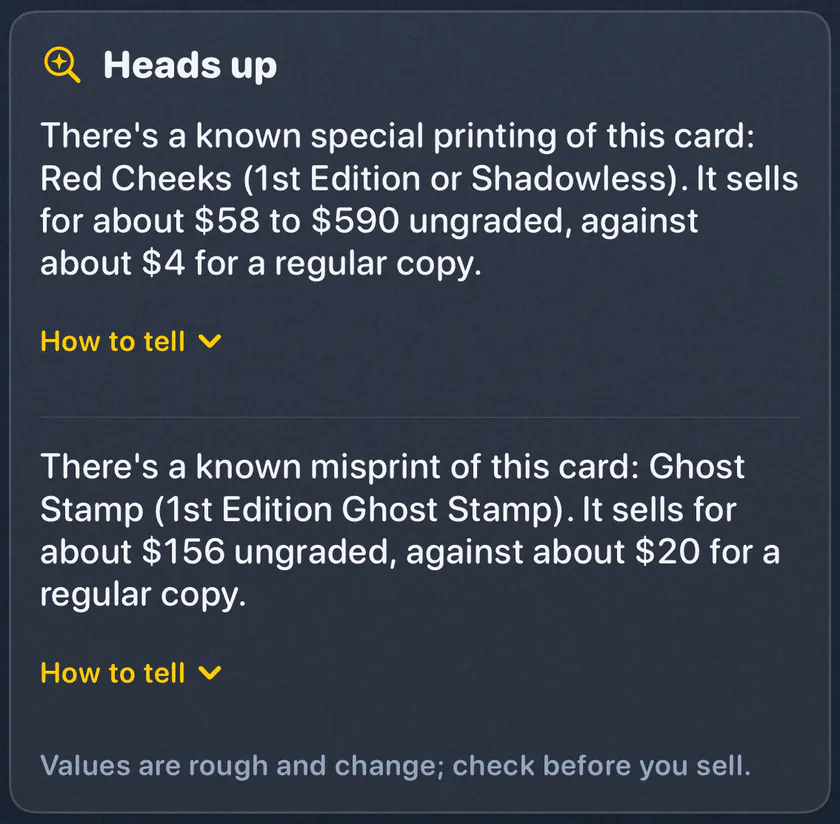
Some Pokémon cards have a misprint or an early printing that sells for much more, like Red Cheeks Pikachu or the Jungle holos with no set symbol. When you scan or open one of these cards, Foilbook says so. It gives a rough value and tells you where to look on yours.
- Pikachu 58/102Red cheeks instead of yellow.
- Wartortle 42/102The small picture shows Wartortle, not Squirtle.
- Jungle holosNo set symbol under the picture.
The list covers 57 cards, from Base Set to Scarlet & Violet promos. Foilbook can't tell the versions apart from a photo, so it tells you what to check. Values are rough, so check before you sell.

06Keepers
Your best cards, and what they sell for.
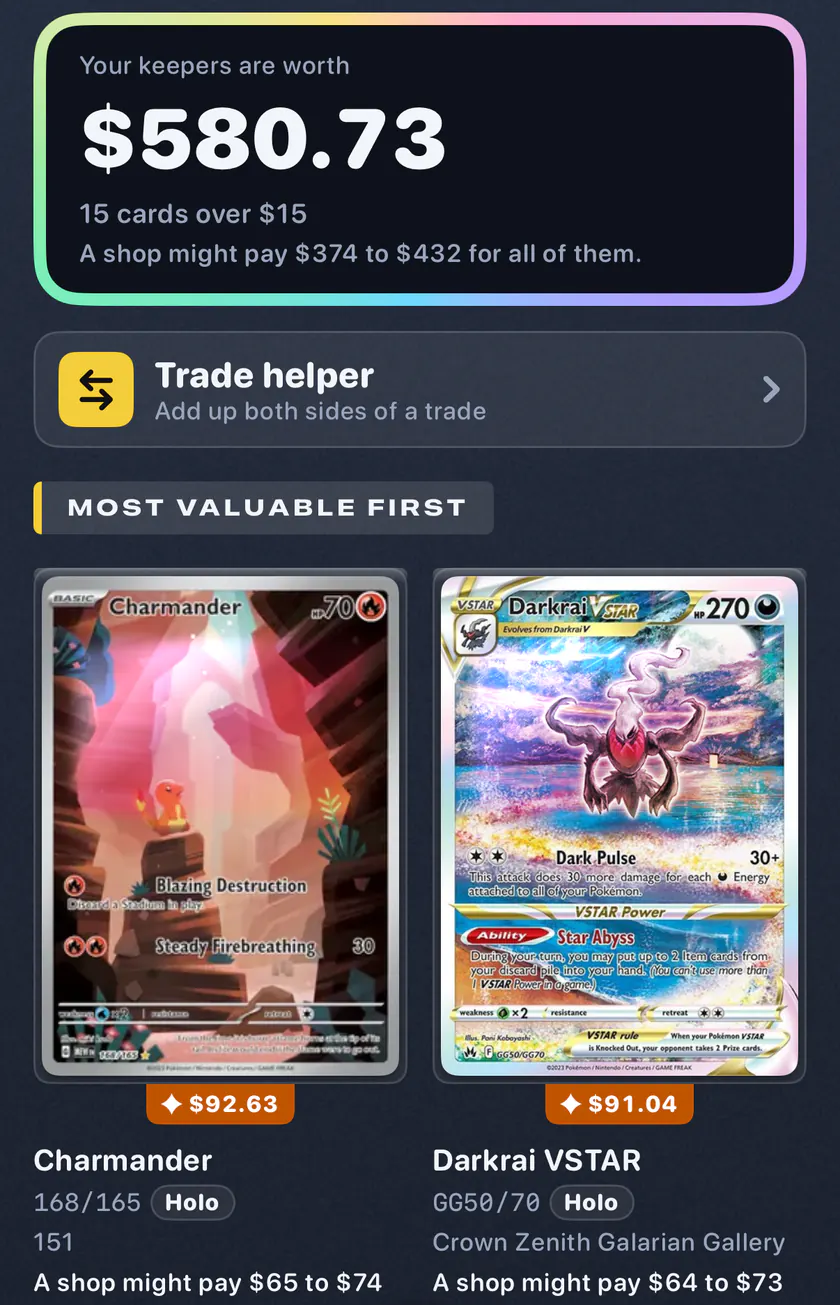
Cards worth over $15 are your Keepers, most valuable first. Each one shows what a card shop might pay, and a button that opens real sold prices on eBay.
A shop price is a rough guide, not an offer. You can set your own shop's percent.
07Want list
Want it, then buy it.
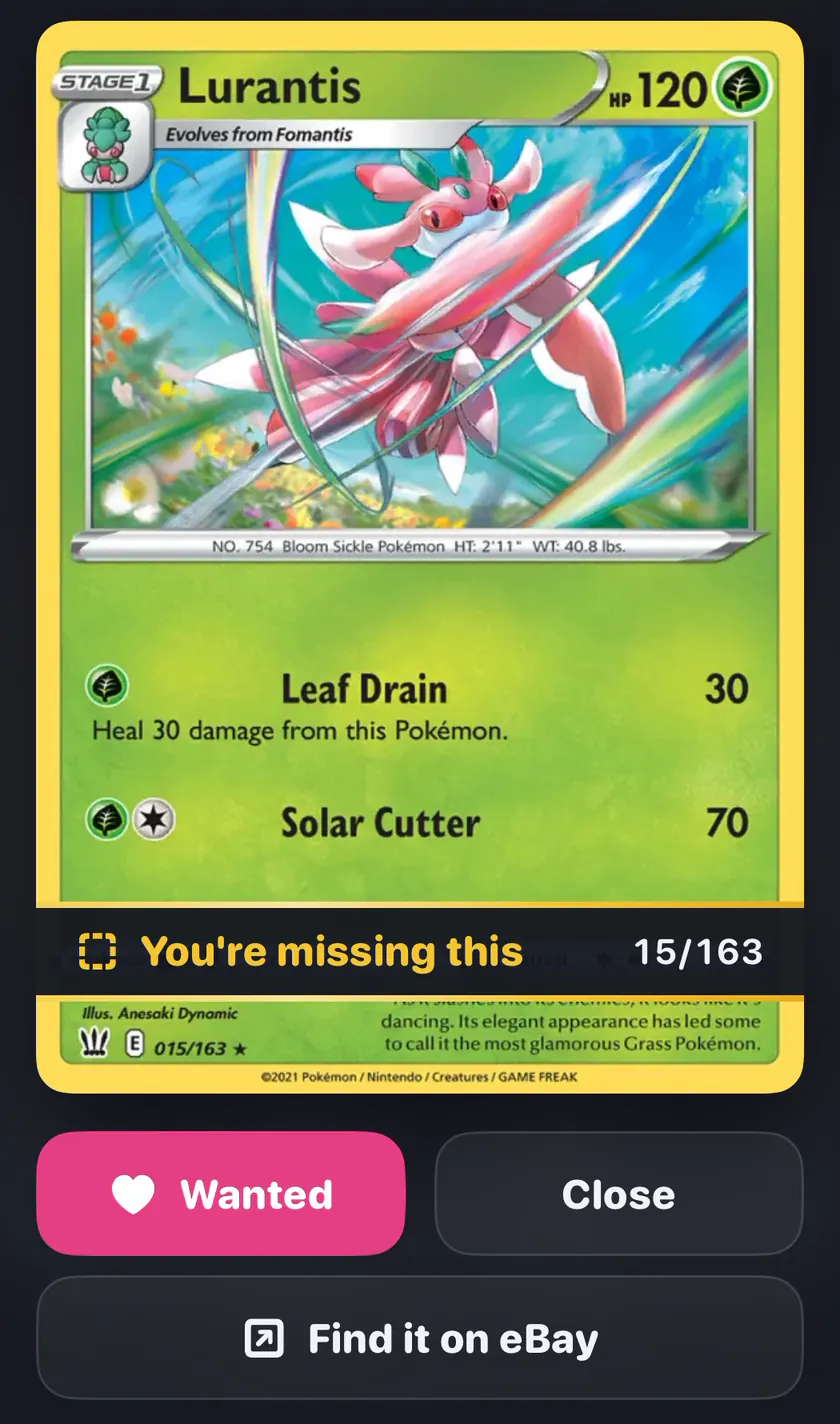
Tap Want on a missing card to put it on your Want list, and see what the whole list costs. For a Pokémon set, Buy missing cards opens TCGplayer with the cards that set still needs.
When you get a card, it comes off the list by itself.
08Binders
Your binders, page by page.
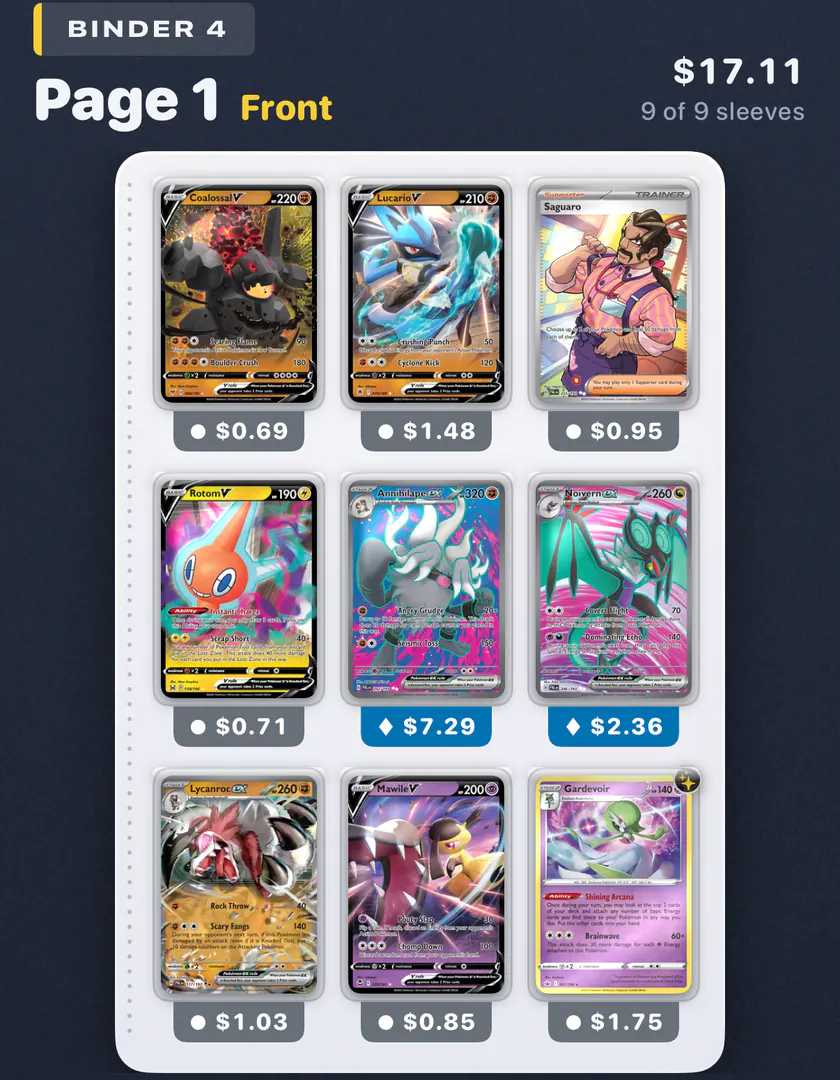
Scan a binder page and it is saved as that page, in the binder you pick. Flip through each binder front and back, with every card's price.
Loose cards can go in boxes instead.
Also in Foilbook
-
The whole family
Each person can keep their own cards, binders and Want list on one iPhone. The Everyone view shows them all together.
-
Price alerts
A note when your collection or a card jumps, or when a card you want gets cheaper. Checked once a day.
-
Home screen widget
Your total and the change since yesterday, right on your home screen.
-
Hide prices
See your sets and cards with no dollar amounts at all.
-
Find a card
Search your cards and see the binder, page and sleeve each one is in.
-
Trade helper
Add up both sides of a trade with today's prices. You decide.
-
Bring your cards
Import from Collectr, TCGplayer, Dittodex or a spreadsheet. Export yours to a spreadsheet any time.
-
Backups
Foilbook backs up to your iCloud Drive by itself. An account is optional.

Coming soon to the App Store.
For iPhone, iOS 26 or later. No account needed. No ads. No tracking. The photo is read on your iPhone.
Reads Pokémon cards, including Japanese ones.